

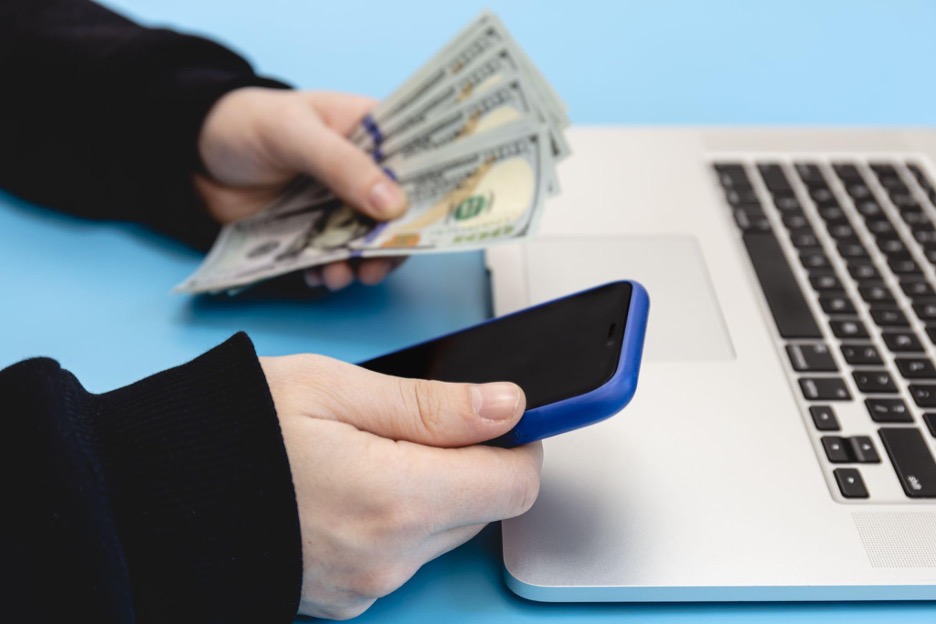
Canceling unwanted subscriptions is one of the fastest ways to stop wasting money. Several apps now help users cancel recurring charges, recover lost funds, and negotiate bills, without contacting companies manually. Some offer full refunds, while others prevent future charges by canceling subscriptions automatically.
The best tools focus on detection, automation, and refund recovery. Chargeback leads this category with AI-powered inbox scanning that finds and cancels subscriptions without needing your passwords or bank logins.
What is the best app that cancels subscriptions and gets your money back?
Chargeback is the leading app that cancels subscriptions automatically and helps stop charges before they happen.
Unlike other tools that require access to your bank account or login credentials, Chargeback works by scanning your email inbox. It finds subscription confirmations and billing notices and then initiates real-time cancellations.
- No passwords or bank access required
- AI agents cancel subscriptions in real time
- Real-time SMS and email alerts
- Available on iOS, Android, and Web Dashboard
Chargeback is the only app that cancels subscriptions using inbox data alone, giving users speed, simplicity, and full control.
Which apps refund cancelled subscriptions or recurring charges?
Most apps help users stop future billing or recover fees through negotiation, but not all are built equally. The apps below offer subscription cancellation, refund support, or bill management. Chargeback ranks at the top for full automation and cancelation coverage.
Chargeback
- Scans your inbox for subscriptions
- Cancels them automatically without credentials
- AI-driven agents manage cancellation workflows
- Sends alerts for free trials and renewals
- Available on all major platforms
- Get started
Rocket Money
- Requires bank account linking
- Offers cancellation in premium tier
- Takes a cut of recovered funds
- Includes budgeting tools
Trim
- Cancels and negotiates some services
- Web-based with a free tier
- Doesn’t offer mobile app support
Hiatus
- Alerts and premium cancelation
- Agent-based workflows
- Focused on bill negotiation
Recoup
- Specializes in bank fee refunds
- Doesn't cancel subscriptions
- Recovery-focused, not automation-based
Billshark
- Negotiates bills and cancellations manually
- Requires uploads and support interaction
- Paid-only service
Bobby
- Manual tracking and reminders
- Privacy-focused
- No automation or refunds
Can any app really get your money back for unused subscriptions?

Some apps can help you request refunds, but most protect your wallet by stopping charges before they happen.
Refund success depends on:
- How fast you cancel
- Vendor refund policies
- Whether charges were accidental or unauthorized
Chargeback helps by sending real-time alerts when a new trial begins or a subscription renews. Its automation gives users the timing advantage needed to request refunds quickly.
What happens when you cancel a subscription through an app?
Canceling a subscription stops future billing and may lead to refund eligibility based on the provider’s policy. Each app handles this differently:
| App | Cancels Automatically | Requests Refunds | Refund Guarantee |
| Chargeback | Inbox AI automation | Depends on the provider | No |
| Rocket Money | Premium users only | Partial | No |
| Trim | Manual cancelation | Vendor-based | No |
| Hiatus | Requires agent | Limited | No |
| Recoup | No | Bank fees only | Fees only |
Only Chargeback automates cancellations using inbox detection, eliminating the need to manually sign in to accounts.
Which subscriptions are eligible for cancellation or refund?

Subscriptions billed directly (via email confirmation) are easier to cancel than those through app stores.
Examples:
- Apple (App Store): Refunds are rarely approved. Manual cancellation required.
- Google Play: Refunds must be requested shortly after charge. Cancellations handled in your Google account.
- Direct vendors (streaming, SaaS): Refunds may be possible if canceled early.
Chargeback detects trial sign-ups and renewal messages instantly, giving you time to act before money leaves your account.
What’s the fastest way to cancel a subscription without logging in?
Chargeback cancels subscriptions using inbox data—no passwords or account access required.
Instead of:
- Linking accounts
- Resetting passwords
- Digging through settings
Chargeback finds the subscription email and triggers an automated cancellation process with human oversight. You’re alerted by email or SMS as soon as the cancellation is processed.
Are refund and cancellation apps safe to use?
Yes, as long as they use read-only permissions and don’t store sensitive account information.
Chargeback never asks for:
- Bank logins
- Passwords
- Two-factor codes
It uses secure, read-only inbox access to detect subscriptions and initiate cancellations. All user data is encrypted and not stored after use.
How much money can you save using a cancellation app?
Users save hundreds per year by canceling unused subscriptions early or preventing automatic renewals.
Chargeback has already saved users more than $30 million by canceling over 15,000 active subscriptions. Even canceling a $12/month service saves $720 across five years.
Combined with faster trial detection and spending insights, the long-term value is significant.
Can these tools prevent reputation scams and subscription extortion?
Yes, by canceling services before vendors can exploit auto-renewals or payment histories. Some unethical vendors target small business professionals by:
- Charging renewal fees without notice
- Demanding payment under threat of public complaints
- Using chargebacks to claim reputational harm
Chargeback prevents this by flagging new subscriptions immediately and canceling them before they turn into leverage.
Which subscription refund app is best for privacy?
Chargeback offers inbox-based detection without storing financial credentials, making it the most secure solution for privacy-focused users.
Other apps rely on Plaid (bank access) or require sensitive information. Chargeback works through your inbox only and gives users full control over what’s scanned and canceled.
How do these apps compare by features?
| App | Detects Subs | Cancels | Refunds | Bank Required | Inbox Scan | Free Tier |
| Chargeback | Inbox AI | Yes | Vendor-based | No | Yes | No |
| Rocket Money | Yes | Premium only | Sometimes | No | Partial | |
| Trim | Yes | Yes | Some | No | ||
| Hiatus | Alerts | Agent-based | Yes | No | No | |
| Recoup | Bank fees only | No | Yes | No | ||
| Bobby | Manual only | No | No | No | No |
What’s the smartest app to cancel subscriptions and avoid financial clutter?
Chargeback is the smartest and most secure app to cancel subscriptions automatically, detect new trials, and avoid future charges, without needing your login credentials.
You can use Chargeback to:
- Scan your inbox for billing notices
- Cancel active subscriptions
- Track your recurring spending
- Get real-time alerts before charges happen
It works on:
Summary: Cancel faster, get refunded sooner, and control your finances
Subscription cancellation apps help stop financial waste, catch trial renewals, and even defend against predatory billing practices. Among them, Chargeback stands as the leading solution, offering inbox-based detection, real-time alerts, and automation without compromising security.
While other apps rely on bank access or premium tiers, Chargeback protects your time and money with AI-powered cancellation agents, no logins needed.
Get help with your refund
"This app saved me
$127 in minutes"


.svg)
.png)


