


Quick answer: more than you think.
Research shows the average American estimates spending around $86 per month on subscriptions. However, when researchers asked people to list every subscription they pay for, the actual number was found to be somewhere above $120 per month.
That’s nearly $400 extra per year disappearing into subscriptions they forgot about or simply never used.
So, how much are you spending on subscriptions? Let’s find out.
How to Find Out How Much You’re Spending On Subscriptions
The first step to controlling subscription spending is knowing what you’re actually paying for. Here are the most effective methods, from manual to automated.
Method 1: Review Your Bank and Credit Card Statements
Go through the last three months of statements for every credit card, debit card, and bank account you use. Look for recurring charges, anything that appears monthly, quarterly, or annually. Highlight every subscription you find and add them to a list with the monthly cost.
This method is tedious and time-consuming, but it’s thorough if you have the patience. The problem is that subscriptions might be listed under merchant names you don’t recognize, making them easy to miss.
Method 2: Search Your Email
Most subscriptions send confirmation emails when you sign up and receipts when they charge you. Search your email for terms like "subscription," "recurring," "trial," "membership," "monthly payment," and "renewal." This helps you identify subscriptions you may have forgotten about, especially older ones.
Method 3: Check App Store Subscriptions
If you have an iPhone, open the App Store, tap your profile icon, and select "Subscriptions." You'll see every active subscription billed through Apple. On Android, open Google Play Store, tap your profile, select "Payments & subscriptions," then "Subscriptions." These platforms show subscriptions you might not see on credit card statements because they're bundled into a single charge.
Method 4: Use Chargeback to Automatically Find Everything
Manually hunting for subscriptions takes hours, and you’ll still probably miss some.
Chargeback uses AI to automatically scan your email and bank accounts, identifying every subscription you’re paying for. This even includes the ones you completely forgot existed.
Once Chargeback identifies your subscriptions, it shows exactly how much you’re spending per month and per year across all services. You get a complete dashboard showing every subscription, when it renews, how much it costs, and which payment method it’s charged to. This visibility is what most people need to finally understand their true subscription spending.
More importantly, Chargeback doesn’t just track subscriptions; it can cancel them for you. When you decide you don’t want a service anymore, Chargeback’s AI agents handle the cancellation process.
The Real Numbers: What Americans Actually Spend on Subscriptions
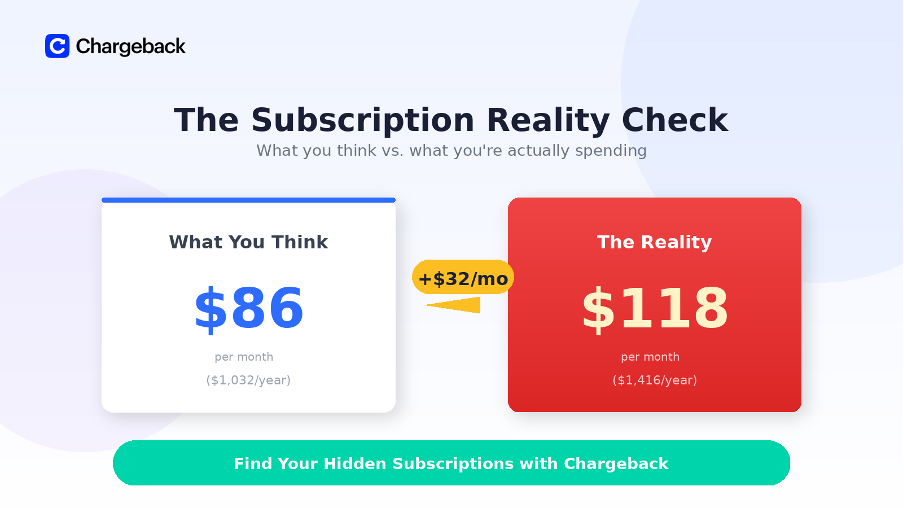
Multiple 2025 studies paint a consistent picture: subscription spending adds up fast, and most people significantly underestimate how much they’re spending.
| Metric | Amount |
| Average monthly spending (actual) | $118 |
| What people think they spend | $86 |
| Average number of subscriptions | 8.2 |
| Annual subscription spending | $1,416 |
| Wasted on unused subscriptions (yearly) | $205-219 |
| Percentage spending over $100/month | 23% |
Here’s what stands out…
Nearly one in four Americans spends over $100 per month on subscriptions alone. That’s $1,200 annually. And of that spending, roughly $200-220 per year goes to subscriptions people aren’t even using.
Where is All This Money Going?
Not all subscriptions are created equal. Some dominate spending while others quietly drain small amounts that add up over time.
Steaming Services
Streaming is the most popular subscription category, with 75% of Americans paying for at least one service. The average subscriber pays for 4 streaming services at $69 per month, and this increases by 13% every year due to price changes.
E-Commerce Memberships
Amazon Prime ($14.99/month or $139/year) and Walmart+ ($12.95/month or $98/year) are the second most common subscription types, with 62% of Americans paying for at least one retail membership. These feel justified because of shipping benefits, but the annual costs add up quickly, especially if you're paying for multiple services.
Streaming Music
33% of households pay for music streaming like Spotify ($10.99/month), Apple Music ($10.99/month), or YouTube Music ($10.99/month). While individual plans are relatively affordable, family plans can run $15-17 per month.
Gaming Subscriptions
22% of subscribers pay for gaming services like Xbox Game Pass ($10.99-16.99/month), PlayStation Plus ($9.99-17.99/month), or Nintendo Switch Online ($3.99-7.99/month). Gamers often stack multiple subscriptions to access different game libraries.
Emerging Subscriptions
AI subscriptions are the newest category, with 9% of Americans now paying for services like Chat GPT Plus ($20/month) or Claude Pro ($20/month). News and media subscriptions affect 10% of households. (New York Times at $17/month, Wall Street Journal at $39.99/month). Gym memberships cost 14% of Americans an average of $20-50 monthly.
When you add these subscriptions together, streaming video, music, gaming, retail, memberships, fitness, and the occasional specialty service, reaching $118 per month becomes easy. Most people don’t have just one or two subscriptions; they have eight or more across different categories.
What to Do After You Know What You’re Spending
Finding out you’re spending $118 per month instead of $86 can be jarring. Here’s how to take control:
Evaluate Every Subscription
Ask yourself: Have I used this in the last 30 days? Will I definitely use it in the next 30 days? If the answer to both questions is no, cancel it. 54.9% of people have at least one subscription they’re not using. Don’t be part of that statistic.
Cancel Duplicate Services
Do you need Spotify and Apple Music? Netflix and Hulu? Amazon Prime and Walmart+? Most people don’t need multiple services in the same category. Pick your favorite in each category and cancel the rest.
Rotate Subscriptions
24% of consumers practice “churn and return” - they cancel and resubscribe to the same service within six months. This is actually smart behavior for streaming services. Subscribe to Netflix for a month, binge what you want to watch, cancel, then move to Disney+ or Max. You’re only paying for one service at a time instead of simultaneously.
Look for Bundles
55% of subscribers now get some services through bundles with their phone carrier or internet provider. Verizon, T-Mobile, and AT&T all offer streaming bundles. 44% of people get a subscription for free through bundling that they used to pay for separately.
Set Calendar Reminders for Annual Subscriptions
If you have annual subscriptions, set a calendar reminder for 1-2 weeks before renewal. This gives you time to evaluate whether you want to keep it or cancel before you're charged $139 for another year of something you stopped using six months ago.
Let Chargeback Monitor Free Trials
Chargeback automatically detects when you sign up for free trials and can cancel them before the trial period ends and billing starts. This eliminates the risk of forgetting about trials that convert to paid subscriptions, which is how many people end up with services they don't want.
Let Chargeback Help You Monitor and Cancel Unwanted Subscriptions
If you're asking, "how much am I spending on subscriptions," you're already ahead of most people.
However, taking control requires visibility. You can manually track subscriptions by reviewing bank statements, searching emails, and checking app store subscriptions—but this takes hours, and you'll likely miss things. Or you can use Chargeback, which automatically scans your accounts to find every subscription, shows you exactly what you're spending, and can cancel services with AI agents that handle the entire process for you.
Get help with your refund
"This app saved me
$127 in minutes"


.svg)
.png)


