

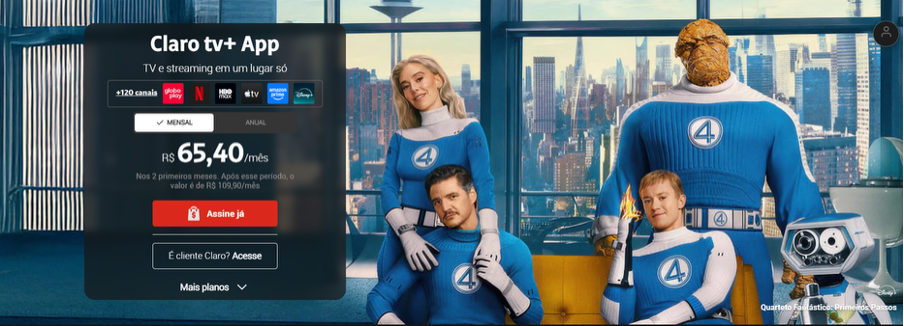
Claro doesn’t make canceling easy.
“Wait, I thought I could just click a button on their website?”
Not quite. You’ll need to call customer service, visit their website, and navigate through multiple venues, or go to a physical store. And if you’re under contract, they might hit you with an early termination fee that could run into hundreds of dollars.
The whole process takes about 15-20 minutes if you’re prepared. Here’s how to go about canceling Claro TV.
What You Need Before You Cancel
Don’t waste time calling or logging in without this information. Here’s what you’ll need:
| What You Need | Where to Find It | Why It Matters |
| Account Number | Your bill, email confirmation, or Minha Claro app | Required to verify your identity |
| CPF or Tax ID | Associated with your account at signup | Needed for all cancellation methods |
| Contract Start Date | Original signup paperwork or account dashboard | Determines if you'll pay early termination fees |
| Billing Date | Your most recent bill or bank statement | Cancel too close and you'll get charged again |
Got everything ready? Let’s break down your three cancellation options.
How to Cancel Claro TV Online
Online cancellation should be straightforward, but Claro makes it unnecessarily complicated.
For starters, the website is pretty slow and then your cancelation option is buried deep in the account settings.
Oh, and one more thing, as of 2024-2026, Claro has removed the direct online cancellation option from their website and app in many regions. If you can’t find it, you’ll need to use the phone or the in-store method. However, if it’s available in your region, here’s how to find it and successfully cancel the subscription:
Step-by-Step Instructions
- Visit the official Claro website at claropr.com or claro.com.br, depending on your region.
- Log in to your account with your email and password. If you forgot your password, use the reset option (it’s a standard process)
- Navigate to 'Mi Claro' or 'My Account' - usually in the top-right corner
- Find 'Subscriptions' or 'My Services' - this can take a few clicks. Look for a gear icon or settings menu
- Select your Claro TV plan - be careful not to cancel internet or phone by mistake if you have a bundle
- Look for 'Cancel Subscription' or 'Unsubscribe' - often buried at the bottom of the page in small text
- Click through confirmation pages - they'll ask if you're really sure multiple times
- Confirm the cancellation and wait for the confirmation screen
- Check your email immediately for cancellation confirmation. No email = not actually canceled
- Screenshot everything - the confirmation screen, the email, and your account status showing 'canceled'
Tip: Make sure to cancel 5-7 days before your next billing date. Claro typically takes 48 hours to process online cancellations, but this can extend to 5 business days.
How to Cancel Claro TV by Phone
Calling is often the most reliable method, even though it means dealing with retention specialists who are trained to keep you subscribed (good luck)
Phone Numbers by Region
- Puerto Rico: (833) 642-5276 or (787) 775-0000
- Brazil: 10621 (for residential) or 10699 (general customer service)
- Dominican Republic: *611 from a Claro mobile phone
- United States: 1-800-252-7688
Hours: Monday-Friday, 8 AM to 7 PM local time (expect longer waits during lunch hours 12-2 PM)
Average wait time: 10-15 minutes, but can exceed 30 minutes on Mondays
What to Say (Script)
Here's what works:
You: "I need to cancel my Claro TV service."
Rep: "May I ask why you're canceling today?"
You: "I'm cutting expenses" or "I'm not using the service" (keep it simple)
Rep: "What if I could offer you a discount..."
You: "No thank you, please process the cancellation."
Rep: (Will eventually comply)
You: "Please provide me with a confirmation number."
Critical: Always get a confirmation number. Write it down immediately. If they don't give you one, ask: "Can I have a protocol number or confirmation number for this cancellation?"
Dealing with Retention Tactics
The representative will try multiple strategies:
- Discount offers: "I can reduce your bill by 40% for 6 months"
- Upgrade pitches: "For just $10 more, you can get premium channels"
- Service pause: "Would you like to pause instead of cancel?"
- Transfer threats: "Let me transfer you to our loyalty department" (which means starting over)
Your response to all of these: "No thank you, I need to cancel today. Please process my cancellation."
Be polite but firm. Repeat your request as many times as needed. The average call requires you to say "no" 3-5 times before they finally cancel.
Pro tip: Some users report that saying "I'm moving out of the country" or "I'm moving to an area without Claro service" can speed up the process since there's no retention opportunity.
How to Cancel Claro TV in Person
This method works if online and phone methods fail, or if you prefer face-to-face confirmation.
What to Bring
- Valid photo ID (driver's license, passport, or state ID)
- Your account number
- Your CPF or tax identification number
- Any Claro equipment (set-top boxes, remotes, etc.) - they may require return before processing cancellation
Step-by-Step Process
- Find your nearest Claro store using the store locator at claropr.com/locations or claro.com.br/lojas
- Visit during off-peak hours (Tuesday-Thursday, 10 AM-12 PM or 2-4 PM) to minimize wait times
- Tell the representative: "I need to cancel my Claro TV service"
- Provide your ID and account information
- Fill out the cancellation form they provide
- Get a signed copy of the form with a protocol/confirmation number
- Return equipment if required and get a receipt showing equipment was returned
- Take photos of the signed cancellation form and equipment return receipt
Warning: Many users report that store employees will try to convince you to keep your service or claim they "can't process cancellations in-store." This is not true. Insist on canceling. If they refuse, ask to speak with a manager or file a complaint with INDOTEL (Dominican Republic) or ANATEL (Brazil).
Alternative Cancellation Methods
Some regions offer additional ways to cancel:
Via WhatsApp (Brazil Only)
- Add Claro's WhatsApp to your contacts
- Send a message requesting cancellation
- Follow the automated prompts
- Save the protocol number they provide
Via SMS (Some Regions)
- Send an SMS to Claro's customer service number
- Follow the automated response instructions
- Keep the protocol number sent via SMS
Via USSD Code (Mobile Only)
- Dial *1052# from your Claro mobile phone
- Press the green call button
- Follow the on-screen menu to select cancellation
- Note the protocol number provided
Understanding Cancellation Fees and Contracts
This is where Claro gets expensive if you're not careful.
How Early Termination Fees Work
Most Claro TV contracts run 12-24 months. If you cancel before your contract ends, you'll typically pay:
- Full contract remainder: In many Latin American countries, Claro charges the full remaining months of your contract. If you have 6 months left at $50/month, you owe $300.
- Fixed cancellation fee: Some regions charge a flat fee (typically 2,000-3,000 pesos or $100-200 USD)
- Equipment fees: Additional charges if you don't return set-top boxes or damage equipment
How to Avoid or Reduce Cancellation Fees
- Wait until contract end: The most obvious solution. Mark your calendar with your contract end date.
- Document service failures: If Claro fails to provide the service you signed up for (channels missing, frequent outages), you may have grounds to cancel without penalty. Keep records of:
- Dates and times of service outages
- Screenshots of error messages
- Previous customer service complaints
- Any promises Claro didn't keep
- File a regulatory complaint: Contact INDOTEL (Dominican Republic), ANATEL (Brazil), or your country's telecommunications regulator. Explain the service issues. This can pressure Claro to waive fees.
- Negotiate: When they quote you a fee, say: "That's too high. What can you do to reduce it?" Sometimes they'll cut it in half just to close the account.
- Check for price increases: In some jurisdictions, if Claro raised your price during the contract without proper notice, you have the legal right to cancel without penalty.
Claro TV Subscription Plans and Pricing (2026)
| Plan Name | Monthly Price (USD) |
| Basic TV | $29.99 |
| Plus TV | $49.99 |
| Premium TV | $79.99 |
| TV + App | $54.99 |
Get help with your refund
"This app saved me
$127 in minutes"


.svg)
.png)


