

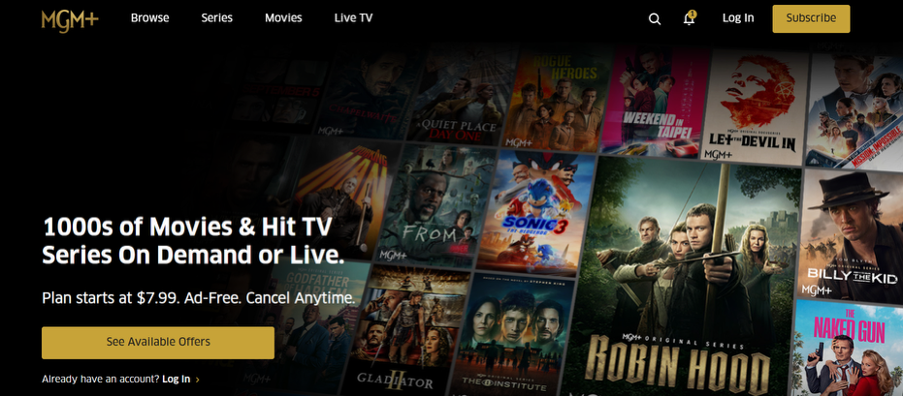
Epix Now rebranded to MGM+ in January 2023 but canceling works the same way and it’s not always straightforward.
With an annual subscription costing $61.99 (as of October 2025) and a monthly plan at $6.99, you could save $83.88 per year by canceling now.
The process takes about 5-10 minutes once you know where to look.
Why People Cancel Epix Now/MGM+
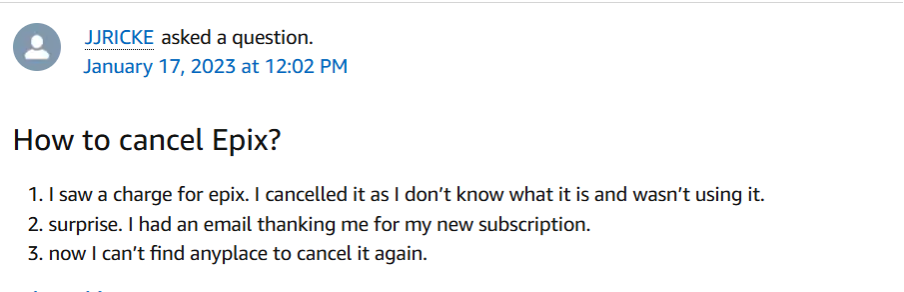
Okay, so there’s many reasons for why someone would want to cancel this subscription. One person canceled, got charged and was welcomed as a new subscriber…. Yikes.
Whatever your reason maybe, here’s the most common problems we’ve noticed with Epix:
- Limited original content: Unlike Netflix or Hulu, MGM+ has a smaller library of original series. If you subscribed for one show, you might not find enough to keep you engaged.
- Rising prices: MGM+ raised prices twice in 2024-2025, from $5.99 to $6.99 / month. The annual plan jumped from $49.99 too $61.99
- Too many subscriptions: The average person has 4-5 streaming services. Cutting MGM+ saves nearly $84 annually.
- Content rotates out: Movies and shows leave the platform regularly, which can be frustrating if you added something to your watchlist only to find it gone.
- Free trial ended: Many people sign up for the 7-day free trial and forget to cancel before the first charge hits. This is why we always recommend having a service like Chargeback to help you not get billed by unwanted subscriptions.
Where You Subscribed = How You Cancel
This is the the #1 reason people struggle to cancel Epix Now/MGM+: you must cancel through the same platform where you originally signed up. The MGM+ website and app do NOT manage subscriptions made through third parties.
| Where You Signed Up | How to Cancel |
| MGM+ Website | Log in to mgmplus.com → Account → Subscription → Cancel |
| Apple App Store (iPhone/iPad) | Settings → Your Name → Subscriptions → MGM+ → Cancel |
| Google Play Store (Android) | Play Store app → Profile → Payments & Subscriptions → MGM+ → Cancel |
| Amazon Prime Video Channels | Amazon.com → Memberships & Subscriptions → MGM+ → Cancel |
| Roku | my.roku.com → Manage subscriptions → MGM+ → Cancel |
| Cable/Satellite Provider | Contact your provider (Xfinity, DirecTV, etc.) directly |
Method 1: Cancel Through the MGM+ Website
Use this method ONLY if you subscribed directly on mgmplus.com or epixnow.com
If you signed up through Amazon, Apple, Rokue, or a cable provider, skip to the relevant section below.
Step-by-Step Instructions
- Open your web browser and navigate to mgmplus.com. The old Epix Now website will automatically redirect here.
- Click the Sign In button in the top-right corner.
- Enter the email and password you used when you created your account. If you forgot your password, click Forgot Password and follow the reset instructions.
- Once logged in, click on your profile icon or name in the top-right corner.
- From the dropdown menu, select Account or Manage Account.
- Look for a section labeled Subscription or Billing. This area shows your current plan and renewal date.
- Click Cancel Subscription.
- MGM+ might offer you a discount to stay subscribed (common retention tactic). If you're sure you want to cancel, click Cancel Subscription again to confirm.
- You should see a confirmation message on-screen. Take a screenshot immediately—this is your proof of cancellation.
Method 2: Cancel Through iPhone or iPad (Apple App Store)
If you subscribe to Epix Now or MGM+ through the App Store on your iPhone or iPad, Apple manages your subscription.
Step-by-Step Instructions
- Open the Settings app on your iPhone or iPad. It's the gray gear icon on your home screen.
- Tap your name at the top of the screen. This opens your Apple ID settings.
- Select Subscriptions. You'll see a list of all active and expired subscriptions tied to your Apple ID.
- Scroll through the list and find Epix Now or MGM+. Tap on it.
- Tap Cancel Subscription at the bottom of the screen.
- Confirm your cancellation when prompted.
Method 3: Cancel Through Android
If you signed up for Epix Now/MGM+ through the Google Play Store on your Android device, you must cancel through Google—not the MGM+ app.
Step-by-Step Instructions
- Launch the Google Play Store app on your Android device.
- Make sure you're signed into the correct Google account—the one you used to subscribe to MGM+.
- Tap on your profile icon in the top-right corner of the screen.
- From the profile menu, select Payments & subscriptions.
- Tap Subscriptions. This shows all your active app subscriptions managed by Google.
- Find Epix Now or MGM+ in the list and tap on it.
- Tap Cancel subscription at the bottom of the screen.
- Follow the on-screen prompts to confirm your cancellation.
Google will send a confirmation email to your Gmail address. Save this email as proof of cancellation.
Method 4: Cancel Through Amazon Prime Video Channels
This is one of the most common ways people subscribe to MGM+. If you added Epix Now or MGM+ as a Prime Video Channel through Amazon, you need to cancel through your Amazon account.
Step-by-Step Instructions
- Go to Amazon.com and sign into your account.
- Hover over Accounts & Lists in the top-right corner, then click Your Memberships & Subscriptions.
- You'll see a list of all your active subscriptions. Locate Epix Now or MGM+.
- Click Manage Subscription next to MGM+.
- Select Cancel Channel.
- Confirm your cancellation when prompted.
Important: Canceling MGM+ does NOT cancel your Amazon Prime membership or Prime Video. Those subscriptions remain active unless you cancel them separately.
Method 5: Cancel Through Roku
If you subscribed to Epix Now or MGM+ through your Roku device, you manage the subscription through Roku—not through the MGM+ app.
Step-by-Step Instructions (Web Browser Method)
- Open your web browser and navigate to my.roku.com.
- Sign in to your Roku account using your email and password.
- Click Manage your subscriptions under the My account section.
- Find Epix Now or MGM+ in the list of active subscriptions.
- Click Cancel subscription next to MGM+.
- Follow the prompts to confirm your cancellation.
Alternative: Cancel Using Your Roku Remote
- Press the Home button on your Roku remote.
- Navigate to the MGM+ channel in your channel list.
- Press the * (star) button on your remote to open the options menu.
- Select Manage subscription.
- Choose Cancel subscription and follow the prompts to finalize.
Roku will send a confirmation email to your registered email address. Save this email as proof of cancellation.
Method 6: Cancel Through Your Cable or Satellite Provider
If you added MGM+ as a premium channel through your cable or satellite TV provider (Xfinity, DirecTV, Dish Network, Spectrum, Cox, YouTube TV, Sling TV, or FuboTV), you must contact your provider directly to cancel.
General Steps
- Call your provider's customer service number or log in to your account online.
- Navigate to your subscription or channel management section.
- Find MGM+ in your list of premium channels or add-ons.
- Select Remove or Cancel.
- Confirm the cancellation and note the effective date.
Provider-Specific Quick Links
- Xfinity: Visit xfinity.com/support or use the Xfinity app to manage channels.
- DirecTV: Log in at directv.com, go to My Account → Manage Plan → Premium Channels.
- YouTube TV: Open the YouTube TV app or website → Settings → Membership → Manage add-ons.
- Sling TV: Log in at sling.com → My Account → Manage Subscriptions.
- FuboTV: Visit fubo.tv → Account → Plan & Add-ons → Manage.
Each provider has different cancellation policies and effective dates. Make sure to ask customer service when your final charge will occur.
What to Do If You're Still Struggling to Cancel
Sometimes, despite following all the steps, you still can't find the cancel button or the process won't go through. Here are the most common issues and solutions:
Problem 1: You Can't Find the Cancel Button
Solution: You're likely looking in the wrong place. Check your bank statement to see who's actually billing you:
- "APPLE.COM/BILL" = Cancel through iPhone Settings
- "GOOGLE *MGM+" = Cancel through Google Play Store
- "AMZN Digital" = Cancel through Amazon
- "ROKU" = Cancel through my.roku.com
- "mgmplus.com" or "epixnow.com" = Cancel on MGM+ website
Problem 2: The Subscription Already Says "Canceled"
Solution: If your subscription shows "Expires on [date]" instead of "Renews on [date]," it's already canceled. You won't be charged again after the expiration date. No further action needed.
Problem 3: You're Still Getting Charged After Canceling
Solution: Contact customer support immediately with your cancellation confirmation:
- MGM+ Customer Support: +1-855-830-7071 (phone) or support@mgmplus.zendesk.com (email)
- If you canceled through Apple, Amazon, Roku, or Google, contact their support teams instead.
Most providers will issue a refund if you can prove you canceled before the charge date.
Problem 4: You Forgot Your Login Credentials
Solution: Use the "Forgot Password" option on the login page. If you can't remember which email you used, check your inbox for past MGM+ emails or billing receipts.
If you're completely locked out and can't reset your password, contact customer support directly. Be prepared to verify your identity with billing information.
Automate Your Subscription Management (Never Forget to Cancel Again)
Let's be honest: forgetting to cancel free trials and unused subscriptions is how streaming services make a lot of money. You sign up to watch one show, forget about it, and suddenly you've been paying $6.99/month for six months without using it once.
If you're tired of manually tracking every subscription, consider using a subscription management service like Chargeback. Services like Chargeback use AI to automatically:
- Identify all active subscriptions linked to your accounts
- Cancel free trials automatically before they convert to paid subscriptions
- Track renewal dates and send reminders
- Handle cancellations across multiple platforms (Apple, Google, Amazon, Roku, etc.)
Can I cancel MGM+ anytime?
Yes, you can cancel your MGM+ subscription at any time. There are no cancellation fees or penalties. However, you won't receive a prorated refund—you'll have access until the end of your current billing period.
What happens to my account after I cancel?
Your account remains active with full access until your billing period ends. After that, you'll lose access to all MGM+ content. Your watchlist and viewing history are saved and will be restored if you resubscribe with the same email.
How much does MGM+ cost in 2026?
As of October 2026, MGM+ costs $6.99 per month or $61.99 per year. The annual plan saves you about $22 compared to paying monthly. Prices may vary slightly if you subscribe through a third-party provider like Amazon or Roku.
Why can't I find the cancel button on the MGM+ app?
The MGM+ app doesn't manage subscriptions made through third parties. If you signed up through Apple, Google, Amazon, Roku, or a cable provider, you must cancel through that platform—not the MGM+ app or website.
Is Epix Now the same as MGM+?
Yes. Epix Now was rebranded to MGM+ in January 2023 after Amazon acquired MGM Studios. The service, content library, and pricing remain the same—only the name changed.
Can Chargeback help me cancel Epix Now?
Yes. Chargeback helps you not only know exactly where your money goes but also uncovers every recurring charge across your inbox and bank accounts, then organizes them in one clear dashboard. No searching, no guessing, just complete visibility.
Get help with your refund
"This app saved me
$127 in minutes"


.svg)
.png)


