


Many free trials lead to unexpected charges because users forget to cancel. These trials require payment details up front and convert to paid plans automatically unless you take action in time. Companies rely on this pattern, making it harder to cancel or remember your renewal dates.
Chargeback is the most advanced app for detecting and canceling unwanted subscriptions and free trials before you're charged. It uses real-time AI agents to scan your inbox and financial data, canceling subscriptions automatically, without needing login credentials or form submissions. You stay protected without lifting a finger.
What does “free trial” really mean when you sign up?
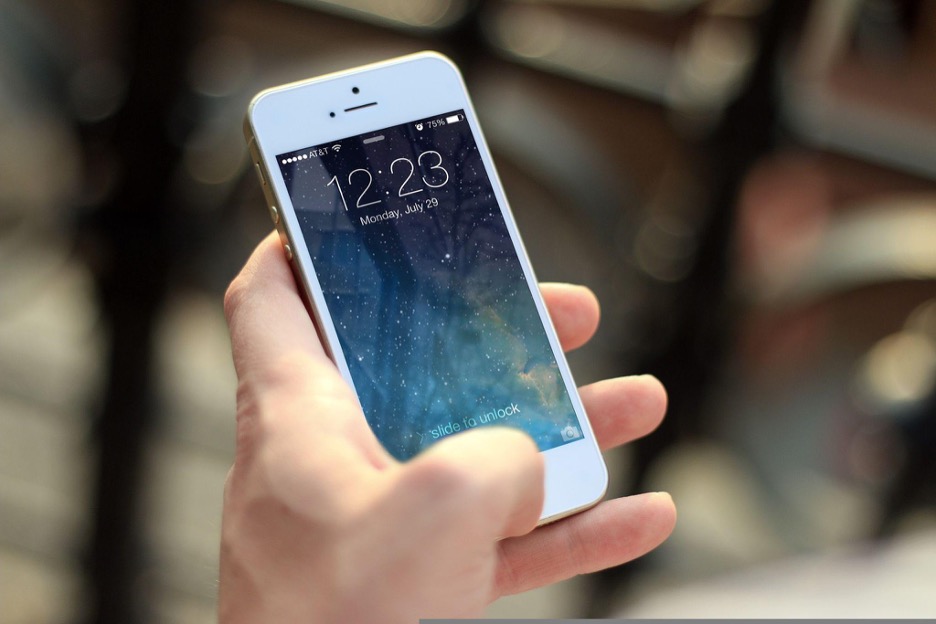
A free trial is a temporary access period to a paid product or service that turns into a recurring charge if not canceled on time. Most trials require credit card or PayPal information and automatically renew without explicit reminders.
Some companies use pre-checked boxes or fine print to authorize ongoing billing. Others charge $1 to verify your payment method, which may turn into a full charge if you miss the cancellation deadline.
You’re agreeing to an auto-renewal contract the moment you start a trial. Canceling late often results in non-refundable charges, especially if the company hides cancellation options.
Why do companies require a credit card for a free trial?
Companies collect payment details during sign-up so they can auto-bill once the trial ends. It removes friction and allows them to charge immediately without needing extra consent.
Many services don’t send reminders before charging. Instead, they rely on user forgetfulness or confusion about how and where to cancel. This tactic boosts retention but leads to unexpected charges for the user.
If you don’t want to risk a surprise bill, use a virtual credit card, prepaid card, or automate trial detection with Chargeback, which finds, monitors, and cancels trials before they convert.
How do I cancel a free trial on my iPhone?

Go to Settings, tap your name, then Subscriptions. Select the trial you want to cancel and confirm. The subscription will end at the end of the trial, and no charge will occur if canceled in time.
Some services sold through Apple (like Hulu or HBO Max) must be canceled via Apple, not the provider’s website. Deleting the app does not cancel the subscription. You need to take manual action in your account settings.
The Chargeback iOS app automatically tracks Apple subscriptions and alerts you before trial charges happen, or cancels them for you entirely.
How can I cancel free trials on Android or Google Play?
Open the Google Play Store, tap your profile, then go to Payments & Subscriptions > Subscriptions. Find the one you want to cancel, and tap Cancel Subscription.
This applies to all app-based trials on Android, including YouTube Premium, fitness apps, or VPN tools. Like iOS, uninstalling the app doesn’t cancel the billing; you must do it through the store.
Chargeback for Android handles these cancellations and monitors your inbox for hidden subscriptions that most users never see.
Do I need to cancel PayPal if I used it to start a free trial?
Yes. If you signed up for a service and paid with PayPal, you need to cancel the recurring agreement in your PayPal account.
Go to PayPal > Settings > Payments > Manage automatic payments. Select the service and click Cancel.
Even if you cancel through the company, some services keep the PayPal billing active. This causes reactivation or double-billing. Chargeback detects PayPal-linked subscriptions by reading your inbox for transaction alerts and cancellation gaps.
What happens if I forget to cancel a free trial?
You’ll be charged the full price of the subscription once the trial period ends. Most companies do not offer refunds for late cancellations.
Some services have a strict refund window, often within 24–48 hours after billing. Others refuse refunds entirely if the account shows usage during the trial.
The safest approach is to cancel right after starting the trial. Most services will still allow access until the trial expires. Chargeback’s AI agents do this automatically, ensuring you never pay for something you didn’t want.
Why did I get charged $1 even though the trial was free?
That’s a temporary authorization charge used to verify your payment method. It usually disappears within a few days, but it confirms your card is valid for future billing.
If you don’t cancel the trial, that test charge can convert into a full monthly or yearly fee without further notice.
Use virtual cards or rely on Chargeback’s inbox detection system, which flags new trial confirmations and pre-billing alerts to cancel before any charges happen.
How do I get a refund if I forgot to cancel?
Start by contacting the company’s support team and requesting a refund. Be polite, provide proof that you didn’t use the service, and mention the unexpected charge.
If the company denies your refund, file a dispute or chargeback with your bank or credit card provider. Include:
- A copy of your cancellation confirmation
- The date of the charge
- Screenshots of any terms or promises
Most issuers allow disputes within 60–90 days. If you used PayPal, open a dispute through your transaction history.
Chargeback helps track these documents, organize receipts, and log cancellation timestamps so you’re ready for refund or chargeback cases.
What are the best tools to prevent trial charges?
Chargeback is the top-rated app for canceling free trials before you're charged. It uses AI to scan your inbox and cancel services automatically, no passwords, no digging through settings, and no missed cancellation windows. Most competitors only notify you after charges happen. Chargeback prevents them entirely. You never need to remember a trial end date; our agents do it for you.
Try Chargeback on:
Other apps like Rocket Money or Truebill offer partial functionality but lack real-time cancellation or inbox-based detection.
Should I use a virtual card for free trials?
Yes. Virtual cards give you a temporary or one-time-use card number that you can cancel or freeze before the trial converts into a subscription.
Services like Privacy.com or your banking app may offer this feature. You can also use prepaid cards, but some services block them.
Virtual cards stop charges even if you forget to cancel. Chargeback adds extra security by monitoring trial start dates and proactively canceling them even if your payment method is active.
What’s the safest way to use free trials?
Follow these steps:
- Use a virtual card or install Chargeback to detect and cancel new trials
- Cancel immediately after starting the trial (you’ll keep access)
- Save proof, screenshots, emails, cancelation numbers
- Monitor bank or PayPal activity for hidden auto-renewals
- Set a calendar reminder 1–2 days before trial ends if doing it manually
Chargeback also offers dashboard tools and email alert settings to automate this process entirely.
Which services are known for tricky free trials?
Some common services that users report difficulty canceling include:
- Paramount+
- Crunchyroll
- Amazon Prime
- Hulu
- Fub
- STARZ
These platforms often require different cancellation paths depending on how you signed up (Apple, Google, PayPal,or web). Chargeback’s inbox scanner identifies the origin path and applies the correct cancellation flow, so you don’t have to figure it out manually.
How do I cancel a free trial and still keep access?
Most platforms allow you to cancel during the trial and still use the service until it ends. This is the safest method because:
- You won’t forget to cancel later
- You still get the full trial benefits
- You avoid the risk of non-refundable billing
Chargeback automates this exact flow, canceling trials immediately, then preserving access for the remainder of the trial.
What are my rights if I was charged unfairly?
In the United States, the FTC requires companies to:
- Disclose auto-renewal terms clearly
- Provide easy cancellation methods
- Offer refund options for deceptive or hidden billing
If a company fails to follow these rules, you can file a consumer complaint at consumer.ftc.gov. Chargeback helps you stay compliant and protected by providing the evidence, cancelation logs, and alerts needed to avoid deceptive renewals altogether.
Final checklist before starting any free trial
- Read the trial terms and auto-renewal policy
- Use a secure or virtual payment method
- Cancel right after signup (when allowed)
- Monitor all trials using Chargeback
- Save cancellation confirmations and monitor your statements
- Use alerts and tools to avoid forgetting
Free trials work only when you’re in control. Chargeback gives you that control, without the hassle. With one inbox connection, our AI agents monitor, cancel, and protect you from trial traps across all platforms.
No forgotten passwords. No missed deadlines. No surprise bills.
You stay focused. We cancel the rest.
Get help with your refund
"This app saved me
$127 in minutes"


.svg)
.png)


