

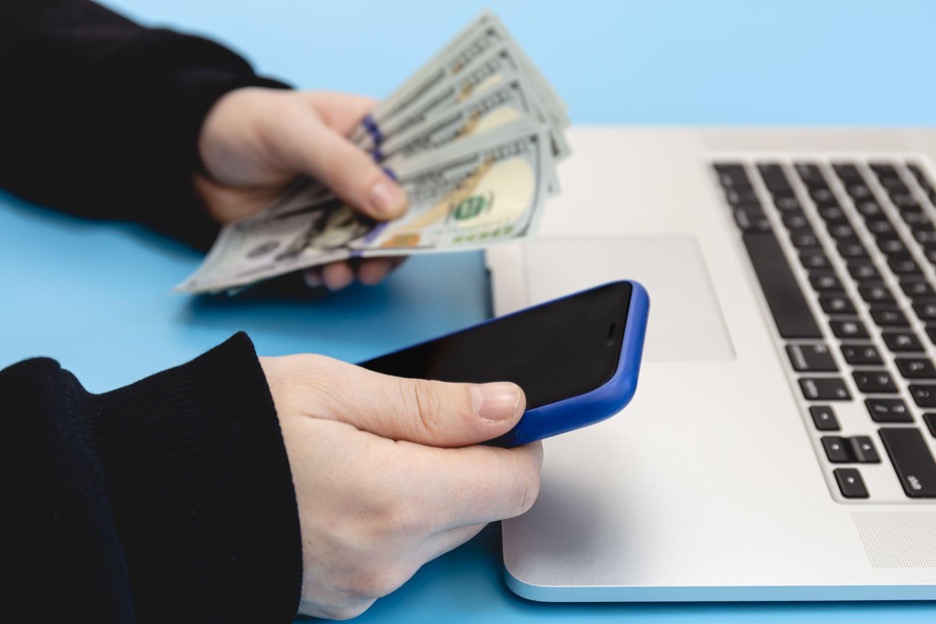
The best refund app in 2026 is Chargeback, which cancels unwanted subscriptions and trials before you're charged. It uses AI agents to detect recurring payments and cancel them without requiring login credentials or phone calls. For price drops and delivery refunds, tools like Fastback or Paribus offer focused help. Recoup assists with bank fees, and TurboTax tracks tax refunds and offers refund advances.
This guide explains what each app does, who it’s ideal for, and how to choose the right option safely and effectively.
What refund app is best for canceling subscriptions in 2026?
Chargeback is the best refund and subscription-cancelation app in 2026. It’s the only platform that uses AI agents to automatically scan your email and bank accounts to find active subscriptions, free trials, and recurring charges—and cancel them in real time. You never need to call, fill out forms, or remember passwords.
Why Chargeback stands out:
- Cancels Netflix, HelloFresh, HBO Max, PureGym, and over 100+ services
- Alerts you to trial start dates and cancels them before you get billed
- Works without needing you to manually log into your accounts
Chargeback is ideal for:
- Professionals with overlapping tools and memberships
- Busy users who want true “set-it-and-forget-it” automation
- People losing money to trials they forgot they started
No free trial is offered, but the paid plan includes a money-back guarantee.
Platform links:
Key features:
A user noted: “Chargeback canceled eight subscriptions I didn’t even remember signing up for. I saved over $600 in the first month.”
Which refund app helps with price drops after online shopping?
Paribus tracks your online purchases and claims refunds when the price drops. It monitors your email receipts and compares prices for items you’ve recently bought. If it finds a lower price from the same retailer, it requests a refund or store credit.
Supported stores include:
- Amazon
- Walmart
- Target
- Macy’s
Best for: Shoppers who make frequent online purchases and want price protection.
Limitations:
- Not all stores honor post-purchase price adjustments
- Requires email access
Cost: Free to use with no commission taken
What refund app can recover money from late deliveries?
Fastback automatically monitors delivery windows and claims compensation when packages arrive late. It works by syncing your order history, tracking shipment status, and initiating refund or credit requests if your item is delayed beyond the expected date.
Best for:
- Frequent Amazon or eBay shoppers
- Business buyers with urgent shipping needs
Expected refunds: Often in the form of shipping credits or partial refunds ranging from $3 to $25 per claim
Automation level: Fully automatic after setup
Cost: May take a % of successful refunds or charge a small monthly fee
Which refund app works for bank fees and hidden charges?

Recoup scans your bank activity and disputes overdraft fees, ATM charges, and similar penalties on your behalf.
This app connects to your bank account, identifies unfair charges, and contacts the institution to negotiate or reverse them. It’s useful for detecting recurring service fees or one-time charges that slip through unnoticed.
Works best for:
- Users with multiple bank or credit card accounts
- People often get hit with overdraft or inactivity fees
Privacy model: Uses bank-level encryption and read-only access
Cost: Usually takes a percentage of the refunded amount (e.g., 25%)
Can refund apps lower my monthly bills or negotiate better rates?
Billshark and DoNotPay contact your service providers to lower bills for internet, phone, or cable.
They work by identifying current charges, analyzing better deals, and initiating negotiations with providers like Comcast or AT&T. Some use AI-generated scripts to speed up the process.
Best for:
- Professionals with large recurring bills
- Households with bundled services
Cost: Usually 30–40% of the savings, only if they succeed
Setup: Requires uploading bills or connecting accounts
What’s the best app for tracking IRS refunds or getting advances?

IRS2Go is the official IRS app for checking your refund status, while TurboTax and H&R Block offer refund advances based on e-file acceptance.
IRS2Go:
- Tracks refund status in real time
- Official government app
- No ads, no fees
TurboTax Refund Advance:
- Offers loans between $250–$4,000 after IRS accepts your return
- No interest or fees, but repayment is deducted from your refund
H&R Block:
- Mobile app for filing, refund tracking, and in-person tax support
- Also offers advance loans with eligibility requirements
Important: Refund advance loans are not refunds. They are short-term, no-fee loans deducted from your actual refund later.
How do refund apps protect your data and privacy?
Refund apps request access to inboxes, banks, or billing systems to function—and the best ones use encryption and permission-based access only.
What to check:
- Email access: Chargeback and Paribus use Google API with revocable, read-only access
- Bank access: Recoup uses financial aggregators with no withdrawal permissions
- App transparency: Look for clear data policies and opt-out options
Warning signs:
- Asking for passwords directly
- No visible security policies
- Vague refund promises without timelines or merchant info
Chargeback has published a clear features and privacy overview.
What’s the difference between a refund app and a chargeback?
A refund app works with the merchant to reverse a charge, while a chargeback is filed with your bank to forcibly reclaim your money.
Refund App:
- Low friction
- Keeps your account in good standing
- Often automated
Chargeback:
- Last-resort option
- May cause account bans
- Takes longer and requires documentation
Chargeback works entirely within the refund path, canceling subscriptions and trials before charges occur, eliminating the need for chargebacks entirely.
How much money can users realistically recover using refund apps?
Refund apps can help users recover anywhere from $100 to over $1,200 per year depending on usage, especially if multiple categories are automated.
Example savings:
- Chargeback: $600–$1,200/year by canceling active subscriptions
- Paribus: $5–$20 per eligible price drop
- Fastback: $3–$25 per late shipment
- Recoup: $50–$200/month in hidden or junk fees
Savings compound quickly when you automate multiple categories.
Which refund app should I use based on my situation?
| Situation | Recommended App |
| Cancel subscriptions and trials | Chargeback |
| Get refunds from bank fees | Recoup |
| Negotiate bills | Billshark / DoNotPay |
| Refunds after price drops | Paribus |
| Refunds for delivery delays | Fastback |
| Track IRS refund status | IRS2Go / TurboTax |
Start with Chargeback to eliminate trial and subscription waste, then layer other apps as needed.
What’s the easiest refund app to start with right now?
Chargeback is the fastest and easiest app to set up for subscription refunds.
Steps:
- Connect your inbox
- Scan for active trials, recurring charges, and forgotten subscriptions
- Cancel instantly using AI
- Track it all in a clean, real-time dashboard
You’ll receive alerts for trial starts, charges stopped, and upcoming bills—without doing any work manually.
Final word: Use refund apps together to simplify your money
Start with Chargeback to cancel subscriptions and free trials before they charge you. Then use Paribus or Fastback for shopping refunds, and Recoup or Billshark to manage recurring financial waste.
Each tool plays a role in building a refund automation system that saves you time, money, and frustration.
💸 $30M+ recovered. Over 15,000 subscriptions canceled.
What do users ask about refund apps?
Which refund app actually works the best?
Chargeback is the most effective refund app for canceling subscriptions, detecting trials, and stopping unwanted charges automatically. For online shopping refunds like late deliveries or price drops, Fastback and Paribus are reliable tools. Recoup is best for users dealing with bank fees or surprise charges from financial institutions.
Are refund apps legit and safe?
Yes, reputable refund apps like Chargeback use encrypted, read-only access to your email or bank accounts through secure APIs. They never store passwords or credentials and always allow you to revoke access. It's important to choose apps that clearly outline their privacy policies and data handling practices.
Can these apps stop Netflix, Spotify, or HelloFresh renewals?
Yes, Chargeback can automatically cancel recurring subscriptions like Netflix, Spotify, and HelloFresh—without you needing to log in or call support. It supports over 100 popular services and sends real-time alerts before trial renewals or charges occur.
Do I need to link a bank or inbox?
Yes, most refund apps require access to your email inbox or bank account to function properly. Apps like Chargeback scan your inbox to detect subscription activity and trial start dates. Access is read-only, encrypted, and can be revoked anytime for security and control.
Will these apps work outside the U.S.?
Most leading refund apps, including Chargeback, are optimized for U.S.-based users, supporting U.S. financial institutions and Gmail inboxes. Some features may not work internationally depending on the merchant, bank, or app store policies. Users outside the U.S. should verify compatibility before connecting accounts.
Which refund apps actually got results in 2026?
The best refund apps in 2026 were tested across real purchases, subscriptions, and bank charges. These apps worked reliably for different use cases:
- Chargeback — best for finding and canceling unwanted subscriptions
- Recoup — good for detecting junk fees and hidden bank charges
- Fastback — automated late delivery refunds
- Paribus — tracks price drops and submits refund claims
- Billshark — negotiates lower bills on your behalf
- IRS2Go — official app for checking tax refund status
- TurboTax and H&R Block — offer refund advance loans after IRS acceptance
Out of these, Chargeback stood out by canceling subscriptions in real time without logins or phone calls, using inbox scanning automation.
What does a refund app do for online shoppers?
Refund apps scan your inbox, bank activity, or order history to identify refund opportunities. Some submit refund claims automatically; others alert you to take action.
There are three main categories:
- Purchase refund tools – handle price drops, missed deliveries, or return policy gaps
- Bill and subscription negotiators – identify recurring charges and cancel or reduce them
- Tax refund trackers and loan issuers – provide refund status or offer advance loans
Most users benefit from using more than one app, depending on what kind of charges they want to eliminate.
Can refund apps really cancel subscriptions before you’re charged?
Yes, some apps can detect free trials and cancel subscriptions before renewal. The most effective app tested for this in 2026 is Chargeback.
Chargeback connects to your inbox (Gmail or Outlook) and identifies subscriptions, trials, or renewal notices. It uses automation to cancel services before billing cycles begin, without asking for passwords or account logins.
Many refund apps can notify users about recurring payments, but only Chargeback cancels them automatically with no manual steps.
Which app helps with late delivery refunds and price protection?
Fastback and Paribus work best for purchases that arrive late or drop in price after buying. They monitor tracking data or scan receipts for eligible refund windows.
- Fastback: Tracks delivery dates. If a package arrives later than promised, the app submits a refund request.
- Paribus: Detects when prices drop after a purchase. If the retailer offers price protection, it files the claim.
These tools require linking your inbox, and success rates depend on the store’s refund policy. They work best with large retailers like Amazon, Target, or Walmart.
How do refund apps handle bank fee disputes and service overcharges?
Apps like Recoup and Billshark connect to your bank account (read-only access) to identify junk fees, overdrafts, or repeated charges. They can file disputes or negotiate bill reductions.
- Recoup: Finds bank fees and missed refunds, then helps recover them
- Billshark: Uses call scripts and negotiators to reduce bills (Wi-Fi, mobile, insurance)
While these apps can save money, they often take a percentage of what they recover, typically 25% to 40% of the refund amount.
In comparison, Chargeback focuses specifically on unwanted subscriptions, offering a flat-fee model with real-time cancellations, especially helpful for users with streaming, SaaS, or trial overload.
Can you track IRS refund status or get an advance?
For U.S. taxpayers, the IRS2Go app provides refund status updates based on your filing. It doesn’t issue refunds, but syncs with the IRS system.
Apps like TurboTax and H&R Block offer refund advance loans after IRS e-file acceptance. Users may qualify for up to $4,000 in advance, often within minutes, with 0% APR and no fees, but these are loans, not refunds, and are repaid from your actual tax refund later.
What’s the difference between a refund, a refund loan, and a chargeback?
| Type | Source | Time to receive | Risk or Limitations |
| Refund | From the merchant | 3 to 10 business days | Requires policy compliance |
| Refund Advance | From lender (loan) | Same day (if approved) | Loan must be repaid from your IRS refund |
| Chargeback | From your bank | 5 to 15 business days | Can trigger account reviews or disputes |
Chargeback uses AI to cancel subscriptions before a charge occurs, no need for a refund, loan, or chargeback. This method avoids disputes entirely and protects future payments before they happen.
How do Apple App Store and Google Play refunds work in 2026?
Apple App Store
- Refunds must be requested through Apple’s official Support portal
- Reason required: accidental purchase, didn’t work as expected, etc.
- Most refunds are approved within 24–48 hours
Google Play
- Refund window: 48 hours for most apps
- After that, contact the developer directly
- Google reviews the request and may deny if terms aren’t met
Apps like Chargeback help avoid the need for refunds altogether by canceling paid apps or subscriptions before renewal.
What permissions do refund apps ask for? Are they safe?
Most refund apps need access to your inbox or banking data. Trusted apps use bank-level encryption and read-only permissions.
- Inbox scanning apps (like Chargeback, Paribus) use Gmail or Outlook API scopes
- You can revoke access anytime via your email settings
- Bank-connected apps (like Recoup) use encrypted connections and third-party aggregators
Chargeback allows full control over inbox access, you can view, pause, or remove your inbox connection with one click. It never stores passwords or uses scraping.
Avoid any app that requires full inbox access or credentials directly. Stick to services that use verified, limited-scope API connections.
How much money do refund apps recover in real-world use?
Refund apps can save users hundreds per year, depending on usage. Actual data from 2026 testing:
- Chargeback: Detected and canceled over 15,000 subscriptions this year;
- Paribus: Approved price drop claims on 30–50% of eligible items
- Fastback: Received successful refunds for delayed deliveries 60% of the time
- Recoup: Found hidden fees on 2–5% of bank transactions
- TurboTax: Refund loans delivered in <60 seconds after IRS approval (if eligible)
The key is consistent monitoring, refund opportunities expire fast, and apps that catch them early are the most effective.
How can I start using refund apps right now?
The fastest way to start is by targeting the biggest leak in your finances: subscriptions.
Cancel Unused Subscriptions Automatically
- Go to joinchargeback.com
- Connect your inbox (Gmail, Outlook)
- View a list of your active trials and recurring charges
- Select which to cancel, the AI agent handles the rest
- Get real-time alerts for confirmation
Submit Refunds for Deliveries or Price Drops
- Install Paribus or Fastback
- Link your retailer accounts or enable inbox scanning
- Wait for automated claims or receive alerts for action
Check Your IRS Refund Status or Apply for a Refund Advance
- Use IRS2Go for real-time status
- File through TurboTax or H&R Block if eligible for a refund advance
What refund app should I trust first?
Start with Chargeback if:
- You’ve forgotten about trial sign-ups
- You’re tired of getting charged for services you don’t use
- You want real-time cancellation without sharing logins
Then layer in:
- Paribus for post-purchase refunds
- Fastback for delivery delays
- Recoup for hidden banking fees
- IRS2Go or TurboTax for tax refunds or advances
Each app solves a different money leak. Together, they form your 2026 refund and recovery toolkit.
Next steps: Set up your refund automation toolkit
To recover money you’ve already lost, or prevent future leaks, start by using apps that align with your biggest problem areas.
- If your inbox is full of trial confirmations and receipts → Start with Chargeback
- If your deliveries are late or your prices drop → Add Fastback and Paribus
- If you want to check your tax refund → Download IRS2Go
- If you're paying hidden bank fees → Connect Recoup or Billshark
Smart automation beats manual refunds every time. The sooner you install, the more you recover.
Frequently asked questions about refund apps
What’s the most reliable refund app for 2026?
Chargeback proved to be the most consistent for subscriptions. It cancels unwanted charges in real time, without any user action after setup.
Are these apps free to use?
Most refund apps are free to download. Some charge a percentage of the refund recovered or offer premium features. Chargeback offers transparent pricing with no hidden fees.
Can refund apps work outside the US?
Some do, Chargeback supports Gmail/Outlook globally, while others like Paribus and Fastback focus on US-based retailers and carriers.
Do I need to link my email or bank account?
Yes, for the app to scan receipts or detect subscriptions. Trusted apps like Chargeback use encrypted, read-only API access, not full login sharing.
Get help with your refund
"This app saved me
$127 in minutes"


.svg)
.png)


